
Your iPhone’s hotspot feature transforms your device into a portable internet gateway, but without proper password security, you’re leaving your data vulnerable to unauthorized access. Most users rely on weak, default passwords that hackers can easily crack, potentially compromising sensitive information and draining cellular data allowances.
This comprehensive guide reveals proven strategies for creating unbreakable hotspot passwords, implementing advanced security protocols, and managing network access like a cybersecurity professional. You’ll discover how to use password generators effectively, identify common security vulnerabilities, and troubleshoot connection issues that plague most users.
Whether you’re sharing internet in coffee shops, offices, or travel destinations, mastering these essential security techniques protects your digital privacy while ensuring reliable connectivity. Ready to transform your iPhone hotspot from a security risk into an impenetrable mobile network?
Setting Up Your iPhone Hotspot Password
Creating a personal hotspot on your iPhone requires proper password configuration to ensure both functionality and security. The process involves accessing your device settings and customizing your network credentials.
Accessing Hotspot Settings
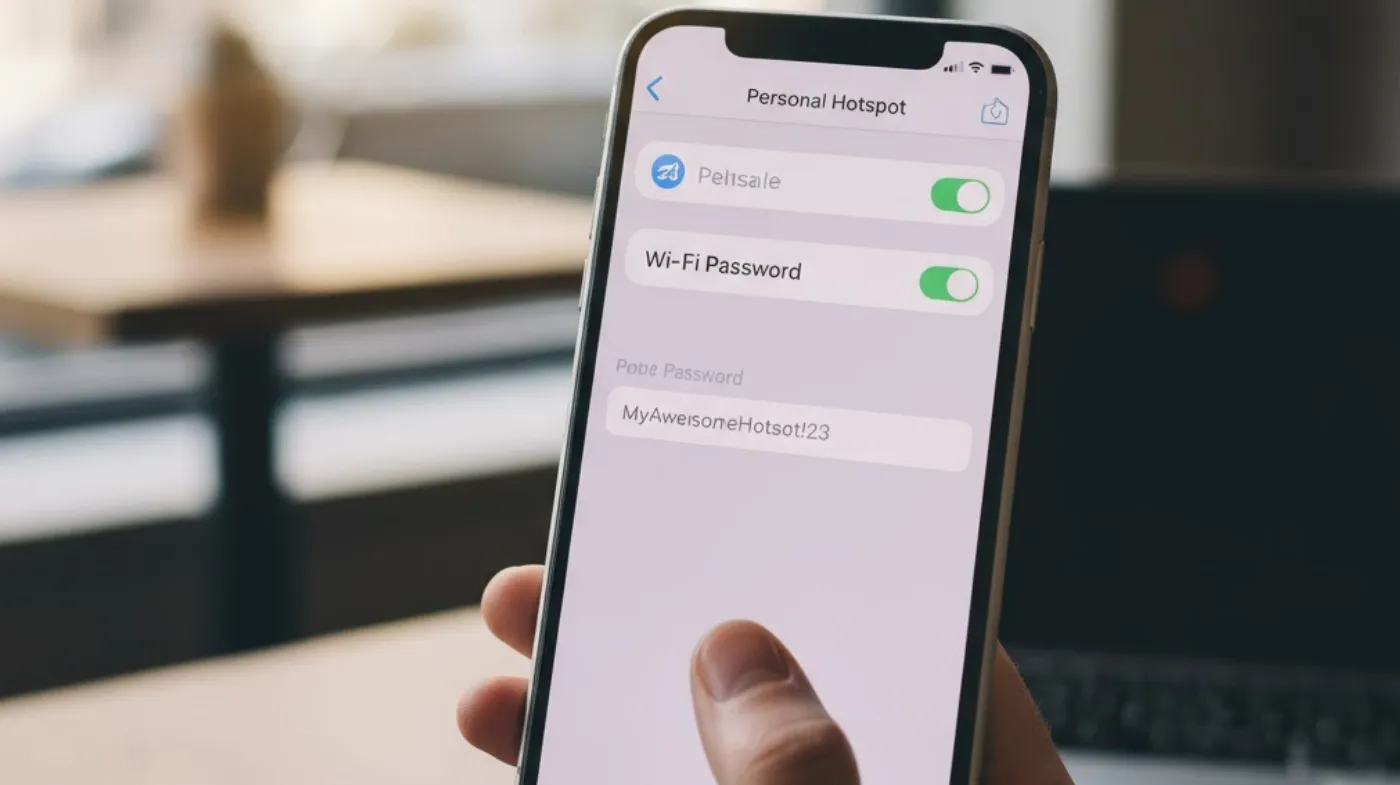
Navigate to your iPhone’s Settings app and locate the “Personal Hotspot” option. This feature may be found under “Cellular” or as a standalone menu item, depending on your iOS version. Once accessed, you’ll see options to enable the hotspot and modify its settings.
The hotspot settings screen displays your network name, which typically defaults to your device name, and the current password. Tap on the password field to modify or view the existing credentials.
Creating Your Initial Password
When setting up your hotspot for the first time, iOS automatically generates a random password consisting of letters and numbers. This default password provides basic security but may be difficult to remember and share with others.
You can replace this auto-generated password with a custom one that meets your specific needs. Consider creating something memorable yet secure, balancing ease of sharing with protection against unauthorized access.
Customizing Password Requirements
Your iPhone hotspot password must meet certain criteria to ensure network security. The password should contain at least 8 characters and can include letters, numbers, and special symbols. Avoid using easily guessable information like birthdates, names, or common words.
The system accepts various character combinations, allowing you to create passwords that suit your preference while maintaining security standards. Remember that more complex passwords provide better protection against potential intrusions.
Password Security Best Practices for iPhone Hotspot
Implementing strong security measures for your iPhone hotspot password prevents unauthorized access and protects your cellular data allowance. Following established security protocols ensures your connection remains private and secure.
Using Strong Password Generators
Creating truly secure passwords manually can be challenging, making a strong password generator invaluable for hotspot security. These tools create random combinations of characters that are virtually impossible to guess or crack through brute force attacks.
Generated passwords typically include uppercase and lowercase letters, numbers, and special characters in unpredictable patterns. This randomness significantly enhances security compared to human-created passwords that often follow predictable patterns.
Validating Password Strength
After creating or generating a password, use a strong password checker to evaluate its security level. These tools analyze password complexity, length, and character variety to provide security ratings and improvement suggestions.
Password checkers identify common vulnerabilities like dictionary words, repeated characters, or predictable sequences. They provide valuable feedback to help you create more secure credentials for your hotspot connection.
Implementing Multi-Character Complexity
While iPhone hotspots don’t require extremely complex passwords like some enterprise systems, incorporating variety strengthens security significantly. Consider using a 6-digit password generator for situations requiring simpler credentials while maintaining reasonable security levels.
Alternatively, create longer passwords combining multiple words, numbers, and symbols for maximum protection. The key is finding the right balance between security and practicality for your specific usage scenario.
Managing and Updating Hotspot Passwords
Regular password management ensures your iPhone hotspot remains secure over time. Developing good habits around password updates and sharing practices protects your connection from evolving security threats.
Regular Password Updates
Change your hotspot password periodically, especially if you’ve shared it with multiple people or suspect unauthorized access. Monthly or quarterly updates provide good security without becoming overly burdensome for regular users.
Consider updating passwords immediately after lending your hotspot to temporary users, sharing credentials in unsecured environments, or noticing unusual data usage patterns on your cellular plan.
Secure Password Sharing
When sharing your hotspot password with others, use secure communication methods rather than sending it through text messages or emails. Consider using encrypted messaging apps or sharing passwords verbally in private settings.
For temporary access, create a simple password that you can easily change afterward. This approach allows convenient sharing while maintaining long-term security for your primary hotspot credentials.
Password Documentation
Keep a secure record of your hotspot passwords, especially if you use complex generated passwords. Store this information in a password manager or encrypted note-taking app rather than leaving it in plain text files.
Proper documentation prevents lockouts and ensures you can quickly restore access if you forget your credentials. This practice becomes especially important when generating and managing iPhone hotspot passwords for multiple devices or accounts.
Troubleshooting Common Password Issues
Understanding common hotspot password problems helps you maintain reliable connections and resolve issues quickly. Many password-related problems have simple solutions that don’t require technical support.
Connection Authentication Failures
When devices fail to connect using the correct password, try restarting both your iPhone and the connecting device. This simple step resolves many temporary authentication issues caused by cached network information or software glitches.
Ensure you’re entering the password exactly as configured, paying attention to capitalization and special characters. Even small typing errors prevent successful connections to your hotspot network.
Password Compatibility Issues
Some older devices may have trouble connecting to hotspots with certain password characters or lengths. If connection problems persist, try creating a simpler password using only letters and numbers.
Test different password formats to identify compatibility issues with specific devices. This troubleshooting approach helps you find the optimal balance between security and device compatibility.
Network Name and Password Conflicts
Occasionally, device conflicts arise when multiple iPhones in the same area use similar network names or passwords. Change both your network name and password to unique values that don’t conflict with nearby devices.
This issue commonly occurs in office environments, schools, or residential areas with many iPhone users. Creating distinctive credentials eliminates confusion and connection problems.
Frequently Asked Questions
Can I use the same password for multiple iPhone hotspots?
While technically possible, using unique passwords for different hotspots provides better security. If one password becomes compromised, your other devices remain protected. Consider using a password manager to generate and store unique credentials for each device.
How often should I change my iPhone hotspot password?
Change your hotspot password every 1-3 months or immediately after sharing it with temporary users. Regular updates prevent unauthorized access from people who previously had legitimate access but no longer need it.
Do longer passwords significantly improve hotspot security?
Yes, longer passwords exponentially increase security by expanding the number of possible combinations. Passwords with 12+ characters provide excellent protection, while 8-character passwords offer basic security suitable for most personal use cases.
Securing Your Digital Connection
Properly managing your iPhone hotspot password creates a secure, reliable internet sharing solution that protects your data while providing convenient connectivity. By implementing strong password practices, regular updates, and proper sharing protocols, you maintain control over your network access and cellular data usage.
Remember that hotspot security extends beyond just password strength; it includes smart sharing practices, regular maintenance, and awareness of connected devices. Taking a comprehensive approach to hotspot management ensures your iPhone remains a trusted gateway for internet access wherever you go.